Published:
Nordic One IPTV: How to Watch the 2026 Football World Cup from Abroad
Nordic One IPTV – the complete guide to watching the 2026 FIFA World Cup as a Swede abroad. Every match, SVT and TV4 channels, kick-off times, devices and a free trial without expensive packages.
Want to watch every match of the 2026 Football World Cup while living abroad — without juggling SVT Play, TV4 Play, geo-blocks, and pricey foreign sports packages? Then Nordic One IPTV is the simplest answer: a single internet-based subscription that pulls SVT1, SVT2, TV4, and international sports channels into one place, so all 104 World Cup matches between 11 June and 19 July 2026 sit in the same channel list — on your Smart TV, Fire TV Stick, phone, or tablet, whether you're in London, Berlin, Madrid, Dubai, or New York. The 2026 World Cup is played across the USA, Canada, and Mexico with 48 teams for the first time ever, which means late-night kick-offs in European time and broadcast rights split across multiple channels. This guide shows exactly where the matches air, how to watch them all with Nordic One IPTV as a Swede abroad, what the kick-off times are in your time zone, and how to keep your Swedish commentary along the way.
Quick summary – watch the 2026 World Cup with Nordic One IPTV
- Where is the 2026 World Cup shown? In Sweden, SVT (SVT1, SVT2, SVT Play) and TV4 (TV4 Play) share the rights — but both are geo-blocked outside Sweden.
- The problem abroad: SVT Play and TV4 Play block playback when you're outside the country, so expats lose their Swedish commentary.
- The Nordic One IPTV solution: gathers SVT, TV4, and international feeds in one interface that works across the EU/EEA and most of the world.
- Schedule: 11 June–19 July 2026, kick-offs often span European afternoon to the small hours because of North American time zones.
- Devices: Smart TV, Fire TV Stick, Apple TV, Android, iPhone, tablet, computer.
- Price: from 199 SEK/month with no contract — replaces a 600–800 SEK/month stack of Viaplay, TV4 Play, and cable.
- Trial: 24-hour free trial, login within 5 minutes via WhatsApp.
This guide draws on Nordisc IPTV's own live-sport testing through the 2025–2026 season — Allsvenskan, Champions League, World Cup qualifiers, and warm-up friendlies — on the same channel line-up that will carry the 2026 World Cup. We cover the rights picture, kick-off times in European time, device support, and match-night troubleshooting so you're ready long before the opening whistle on 11 June. The point of a Nordic One IPTV setup is not to replace SVT or TV4, but to gather them — plus international broadcasts — in one interface so you never have to wonder which app carries the match you want, no matter which country you're watching from.
Where is the 2026 Football World Cup shown for Swedes?
In Sweden, SVT and TV4 share the broadcast rights to the 2026 Football World Cup. SVT shows a large share of matches on SVT1, SVT2, and free on SVT Play, while TV4 carries the rest on its linear channels and via TV4 Play. Together they cover the whole tournament — group stage, round of 16, quarter-finals, semi-finals, and the final on 19 July. The catch for any Swede living abroad is twofold: the matches are spread across two broadcasters, and both SVT Play and TV4 Play are geo-blocked the moment you're outside Sweden. Open the app from an apartment in Berlin and you'll hit a "not available in your region" wall.
The 2026 World Cup is also the first tournament with 48 teams instead of 32, producing a record 104 matches played across three countries — the USA, Canada, and Mexico — between 11 June and 19 July. More matches and more time zones mean more clashes in the schedule and more late nights for European viewers. That fragmentation is exactly what makes a consolidated solution like Nordic One IPTV worthwhile for the diaspora: instead of switching between apps, fighting geo-blocks, and losing your Swedish commentary, you get SVT, TV4, and international broadcasts in the same channel list.
If you want to understand how the underlying technology works before the tournament starts, start with Nordic One IPTV – your single subscription for the 2026 World Cup abroad and our IPTV Smart Player guide for 2026, which explains which app to install and how internet-based streaming differs from traditional cable.
How to watch every World Cup match with Nordic One IPTV
The idea behind Nordic One IPTV is simple: one subscription, every match, one interface. Instead of tracking which match is on SVT and which is on TV4 — and whether either will even load from abroad — the service gathers all the Swedish channels (SVT1, SVT2, TV4, TV4 Sport) plus a broad range of international sports channels into one channel list with a shared programme guide (EPG). You scroll the EPG, see the entire World Cup schedule in front of you, and click the match you want, regardless of which channel actually carries it back home.
In practice it works like this: after ordering, you receive your Xtream Codes (server URL, username, password) on WhatsApp within five minutes. You install any playback app — IPTV Smarters Pro, TiviMate, or IBO Player Pro — on your device, enter the details, and load the channel list. The full World Cup line-up appears with EPG, and you can favourite the teams you follow. Want to dig into which app suits your device? See our separate breakdown in the best IPTV and Smart Player guide for 2026.
The benefit is especially clear during a tournament with 104 matches in a single month. When three group-stage matches clash on the same evening, you switch channel with one click, and the catch-up function lets you rewind to kick-off if you got home late. For Swedes abroad, the bigger win is keeping the Swedish commentary you grew up with instead of settling for whatever the local broadcaster offers. For the wider picture of watching Swedish TV while living overseas, see our guide to Swedish IPTV abroad – watch SVT and TV4 from anywhere.
No commitment · no credit card
2026 World Cup kick-off times in European time – the time-zone guide
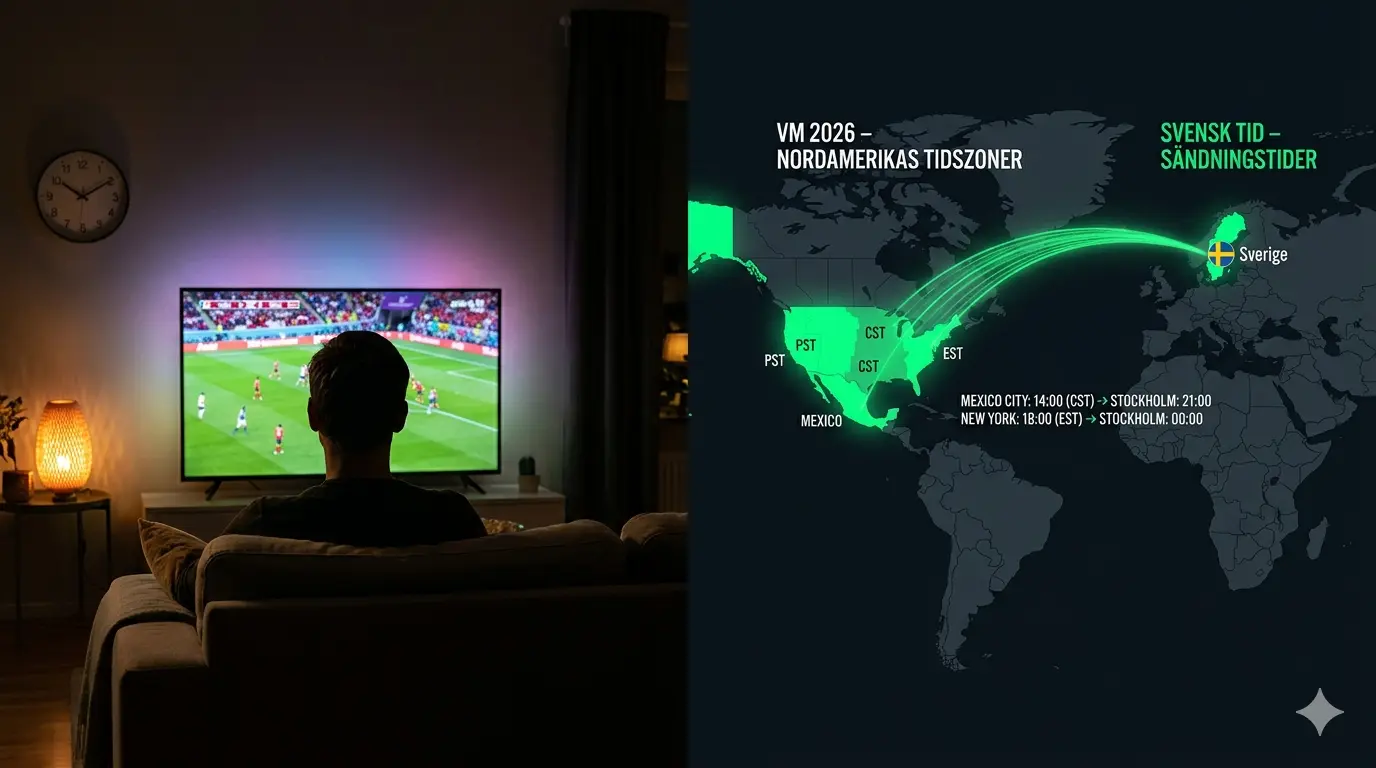
The biggest practical difference with the 2026 World Cup compared with previous tournaments is the time zones. Because the matches are played in North America, most kick-offs land in the late evening and small hours of European time. A midday match in New York is evening in Europe; an evening match on the US west coast becomes the middle of the night back in Stockholm, London, or Berlin. That means late nights for anyone watching live, and a strong need for catch-up on the matches you miss in your sleep.
In Central European Summer Time (CEST, UTC+2), the rough pattern across the three host countries' time zones looks like this:
| Venue (time zone) | Local kick-off (example) | Central Europe (CEST) |
|---|---|---|
| East Coast – New York, Miami, Toronto | 12:00 | 18:00 |
| East Coast – evening match | 18:00 | 00:00 (midnight) |
| Central – Dallas, Kansas City, Mexico City | 18:00 | 01:00 |
| West Coast – Los Angeles, Vancouver, San Francisco | 18:00 | 03:00 |
| West Coast – late evening match | 19:00–20:00 | 04:00–05:00 |
If you're further east — say in Dubai (UTC+4) or Bangkok (UTC+7) — shift these figures forward accordingly, and many west-coast matches will fall in your early morning. This is exactly why a service with built-in catch-up and recording is so valuable during the 2026 World Cup. With Nordic One IPTV you can rewind the night's matches the next morning and avoid the result in your feed until you've watched it yourself. Most playback apps (TiviMate Premium, IPTV Smarters Pro) also support reminders that alert you five minutes before kick-off. Always check the official schedule for your specific match, as exact channel placement is confirmed by SVT and TV4 closer to the tournament.
Devices: watch the 2026 World Cup on Smart TV, Fire TV Stick and mobile
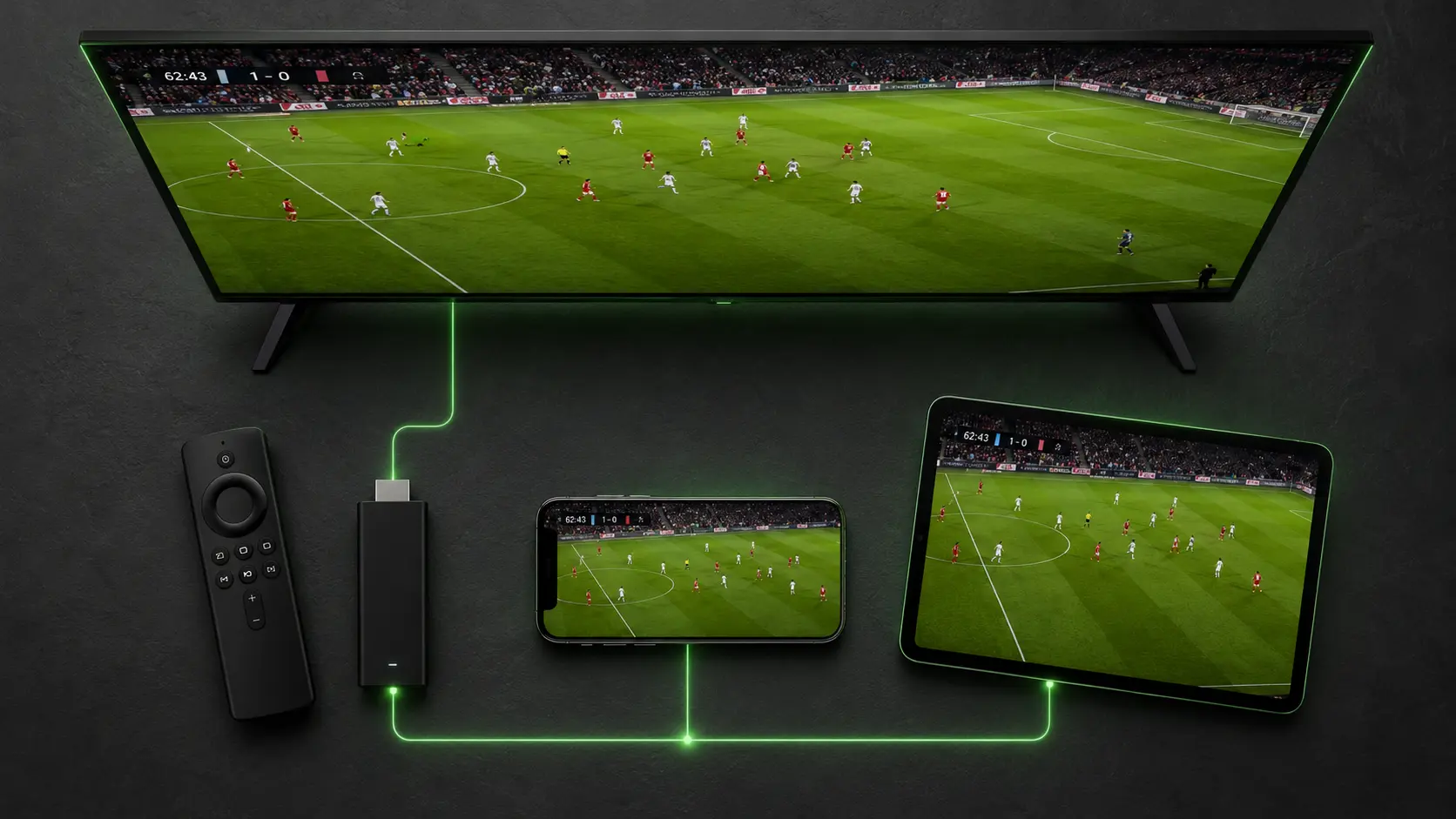
One of the big advantages of streaming the 2026 World Cup over the internet is that you're not tied to one TV. The same subscription works on the Smart TV in your living room abroad, on a Fire TV Stick in the bedroom, on your phone on the train, and on a tablet at a friend's place. All you need is a stable connection. Below are the devices that work with a standard subscription and which playback app suits each best — so the whole household can follow their favourite teams in parallel.
| Device / platform | Recommended app | World Cup suitability |
|---|---|---|
| Fire TV Stick 4K Max | TiviMate / IPTV Smarters Pro | Excellent — fast 4K, cheap way to upgrade an old TV |
| Android TV / Google TV | TiviMate | Excellent — best EPG for the full schedule |
| Samsung Tizen / LG webOS Smart TV | IBO Player Pro / Smarters Player Lite | Very good — no extra hardware needed |
| Apple TV 4K | IBO Player Pro / GSE Smart IPTV | Very good — stable 4K via Xtream Codes |
| iPhone / iPad | IPTV Smarters Pro / GSE Smart IPTV | Good — follow matches on the move |
| Android phone | IPTV Smarters Pro / TiviMate | Good — mobile data or Wi-Fi |
| Windows / Mac | IPTV Smarters Pro | Good — second screen on match night |
For 4K broadcasts of the big matches we recommend at least 50 Mbps and ideally Ethernet or Wi-Fi 6 to the device you watch the final on. Got an older Smart TV from before 2018 that's starting to lag? A Fire TV Stick 4K Max for around 600 SEK turns it into a fast streaming device in time for the opener. For more on which subscription suits different households, see our best-rated IPTV in Sweden 2026.
Activated within 5 minutes
Nordic One IPTV vs Viaplay, TV4 Play and cable
How does a consolidated streaming solution stack up against the traditional options when you want to watch the 2026 World Cup from abroad? The common situation for Swedes overseas is paying for several services at once — maybe TV4 Play for some sport, a local cable or fibre package for the host country's channels, and Viaplay for other football — only to discover the Swedish apps are geo-blocked. Ahead of a month with 104 World Cup matches, the question becomes: is what you have enough, or do you bring it all into one? The table below compares the four most common ways to watch the 2026 World Cup as a Swede abroad.
| Criterion | Nordic One IPTV | Viaplay | TV4 Play | Traditional cable |
|---|---|---|---|---|
| 2026 World Cup matches | SVT + TV4 + international feeds combined | Depends on package | TV4's matches | Host-country channels only |
| All matches in one place | Yes | No | No | Partly |
| Works abroad (no geo-block) | Yes (EU/EEA + most countries) | Limited | Geo-blocked | No |
| Catch-up / rewind | Yes | Yes | Yes | Limited |
| Price/month | from 199 SEK | 449–649 SEK | 139–199 SEK | 400–700 SEK |
| Contract | None | Usually yes | None | Often 12–24 months |
| Simultaneous devices | 2–4 | 2–5 | 2–3 | 1 (per box) |
| Nordic FTA channels (SVT, TV4, NRK, DR) | Yes, combined | No | TV4 only | No |
The takeaway for most expats: if your goal is to watch every World Cup match without hopping between services or hitting geo-blocks — and to keep Allsvenskan, SHL, and Premier League after the tournament — then Nordic One IPTV delivers the most coverage per krona with no contract. Once the World Cup is over, our dedicated guide to watching sport via IPTV all year round breaks down every league, device, and app. If you only want TV4's share of the matches and you're back in Sweden, TV4 Play is enough, and SVT's matches are always free on SVT Play domestically. But abroad, those apps simply won't play. For a deeper comparison of providers and pricing, read our best IPTV 2026 – comparison and buyer's guide.
Troubleshooting during the World Cup match – when the stream acts up
Nothing is worse than buffering in the dying minutes of a quarter-final. Nine out of ten support tickets we handle on big sport nights fall into one of four categories — and almost all are fixable yourself in under five minutes. Here are the most common problems on a World Cup night and exactly what to do about them, whether you're watching on a Fire TV Stick, Smart TV, or phone.
"The picture buffers or stutters mid-match"
Symptom: the picture freezes for a few seconds and resumes, often worst at kick-off when many people stream at once. Cause in 80% of cases: insufficient bandwidth or Wi-Fi interference during peak hours. Fix: run a quick test on speedtest.net directly on the device. Under 25 Mbps? Switch from Wi-Fi to Ethernet or move the router closer. Still struggling at 50+ Mbps — drop from 4K to FHD in the app settings on the busiest nights.
"The EPG doesn't show the full World Cup schedule"
Symptom: channels play but the programme guide is empty or missing matches. Cause: the EPG source hasn't refreshed. Fix: in IPTV Smarters Pro, go to Settings → EPG → Force Update. In TiviMate: Settings → EPG → Reload. If the guide is still empty after five minutes, ask support for an updated XMLTV link ahead of the tournament.
"Late kick-off – I fell asleep and missed the match"
Symptom: the west-coast match started at 03:00 your time and you slept. Cause: North American time zones. Fix: use catch-up to rewind to kick-off the next morning, and set an EPG reminder five minutes before kick-off on the matches you want live. Stay off social media until you've watched it so you don't catch the result.
"The app crashes on an older Smart TV"
Symptom: the playback app closes right after launch, most common on LG webOS 3.x and Samsung sets from before 2018. Fix: uninstall the app, unplug the TV for 60 seconds, reinstall from the app store. If the TV is older than 2018, a Fire TV Stick 4K Max for around 600 SEK replaces the TV app entirely and outperforms a six-year-old TV processor in time for the World Cup.
Support team available 24/7
Extra features that make World Cup night better with Nordic One IPTV
Beyond gathering every match in one place, a handful of features separate merely watching from owning World Cup night. The first is multiple commentary languages. With a consolidated subscription like Nordic One IPTV you reach not only the Swedish commentary on SVT and TV4, but also international feeds with English, Spanish, or Arabic commentary. Want the British commentator for an England match, or the South American atmosphere around Argentina and Brazil? You switch channel the same way you switch between SVT and TV4 — a real luxury when you're abroad and want to choose your language rather than accept the local default.
The second feature is EPG reminders and favourites. Add your teams as favourites, and the playback app filters out exactly the matches you care about from a schedule of 104. The reminder alerts you five minutes before kick-off — invaluable when three group matches clash the same evening or when a round-of-16 tie starts at 03:00 your time. The third is multi-screen: while the final plays on the big screen in the living room, the kids can follow another match on the tablet, all on the same subscription.
Finally, catch-up and recording. Because so many matches are played in the middle of the night in European time, the ability to rewind to kick-off the next morning becomes one of the most-used features of the whole tournament. With Nordic One IPTV and an app like TiviMate Premium or IPTV Smarters Pro you can record the evening's matches and watch them at your leisure — without the result already spoiled in the news feed. It's these details, rather than the size of the channel list, that decide how smooth a World Cup month actually feels when you're living overseas.
How to get started with Nordic One IPTV before the 2026 World Cup
The simplest path from zero to first kick-off is five steps, and the whole process takes under five minutes:
- Order and receive your Xtream Codes on WhatsApp — server URL, username, and password arrive within five minutes of ordering. Save them in a note.
- Install a playback app on your device: IPTV Smarters Pro (works everywhere), TiviMate (best on Fire TV / Android TV), or IBO Player Pro (best on Smart TV and Apple TV).
- Log in with the Xtream Codes API — paste the server URL, username, and password. Don't retype; copy directly from the WhatsApp message.
- Wait 30–90 seconds while the channel list and EPG load. The full World Cup line-up appears in the guide.
- Favourite your teams and set an EPG reminder on the 11 June opener — done.
Need a hand along the way? Our support guides you step by step in Swedish or English, including troubleshooting on Apple TV, LG webOS, and older Samsung sets. The tip: do the setup a few days before the opener, not five minutes before kick-off — that way you can calmly confirm everything works, including playback from your country of residence.
Start streaming in 5 minutes
Frequently asked questions about Nordic One IPTV and the 2026 World Cup
Where is the 2026 Football World Cup shown for Swedish viewers?
SVT and TV4 share the rights. SVT shows a large share of matches free on SVT1, SVT2, and SVT Play, while TV4 carries the rest on its channels and TV4 Play. Together they cover the whole tournament through the final on 19 July. The problem abroad is that both SVT Play and TV4 Play are geo-blocked; with Nordic One IPTV you reach both broadcasters' channels in one list that works overseas.
Can I watch the 2026 World Cup from abroad?
Yes. SVT Play and TV4 Play block playback outside Sweden, so you need either portability rights (these apply when you travel within the EU/EEA) or a service built for the diaspora. Nordic One IPTV works across the EU/EEA and most countries with a stable connection, letting you keep Swedish commentary while living in London, Berlin, Madrid, Dubai, or beyond.
When is the 2026 World Cup and how many matches are there?
The 2026 World Cup runs 11 June–19 July 2026 in the USA, Canada, and Mexico. It's the first tournament with 48 teams, producing a record 104 matches. The final is on 19 July. Because of North American time zones, most kick-offs land between late afternoon and the small hours in European time.
What are the kick-off times in European time?
Depending on the venue, kick-offs typically range from around 18:00 (East Coast afternoon match) to 04:00 (West Coast evening match) Central European time. East-coast matches suit European prime time best, while west-coast matches become late-night affairs. Catch-up and EPG reminders are therefore especially valuable during the tournament.
Do I need a VPN to watch the 2026 World Cup abroad?
For a Swedish IPTV subscription built for the diaspora, you generally don't need a VPN — Nordic One IPTV works across the EU/EEA and most countries directly. By contrast, SVT Play and TV4 Play are geo-blocked and would require a VPN to reach from abroad, which can breach their terms. A purpose-built subscription avoids that hassle entirely.
Which devices can I watch the 2026 World Cup on?
Smart TV (Samsung Tizen, LG webOS, Sony), Fire TV Stick, Apple TV 4K, Android TV, iPhone, iPad, Android phone, plus Windows and Mac. You install the same subscription on several devices and switch between them — the limit is on simultaneous streams (usually 2, or 4 on a family plan), not on the number of installed devices.
How fast a connection do I need to stream the matches?
At least 25 Mbps for stable HD and 50 Mbps for 4K. Streaming several devices at once on a match night calls for 100 Mbps. On fibre this is rarely an issue. For the final in 4K we recommend Ethernet or Wi-Fi 6 to the device you watch on, to avoid buffering at kick-off.
Can I rewind matches I missed overnight?
Yes. The catch-up function lets you rewind to kick-off even if you got home late or slept through a night match. TiviMate Premium and IPTV Smarters Pro also support recording and reminders, making it easy to follow the whole tournament around a work schedule in a different time zone.
What does Nordic One IPTV cost compared with Viaplay and cable?
Nordic One IPTV starts at 199 SEK/month with no contract and combines SVT, TV4, and international sports channels. Viaplay typically costs 449–649 SEK/month, TV4 Play 139–199 SEK/month (TV4 content only, and geo-blocked abroad), and a traditional cable package 400–700 SEK/month with a contract. For watching every match plus Allsvenskan and Premier League afterwards, a consolidated subscription offers the most coverage per krona.
Is it legal to watch the 2026 World Cup via IPTV?
Streaming via a reputable provider with a registered company number and licensed content is legal in Sweden in 2026, and the same applies for Swedes consuming that content abroad under portability principles. The playback app itself (IPTV Smarters Pro, TiviMate) is a fully legal media tool. Avoid free "upload an M3U link from a forum" solutions — their legality is often dubious and their stability poor, precisely when you need it most, mid-match.
Conclusion – be ready for kick-off on 11 June
The 2026 Football World Cup will be the biggest tournament ever, with 48 teams and 104 matches over a single month, played across three countries and several time zones. For Swedes abroad that means fantastic football — but also rights split between SVT and TV4, geo-blocks on both apps, late-night kick-offs, and a schedule that's easy to lose track of. Nordic One IPTV solves exactly that: one subscription, every match, one interface, on all your devices, with catch-up for the matches you miss while you sleep — and your Swedish commentary intact wherever you live. Our shortlist ahead of the tournament:
- Want every match in one place? → a subscription covering both SVT and TV4
- Fire TV Stick or Android TV? → TiviMate Premium for the best EPG across the schedule
- Smart TV without an extra box? → IBO Player Pro or Smarters Player Lite
- Late night matches? → catch-up + EPG reminders five minutes before kick-off
- 4K on the final? → at least 50 Mbps, ideally Ethernet or Wi-Fi 6
Test it yourself well before the opener with our free 24-hour trial — no contract, no credit card, login within five minutes. Want to compare subscription plans side by side ahead of the World Cup? See our pricing page with all subscriptions. And for more on the tournament itself, there's a detailed overview on Wikipedia's article on the 2026 FIFA World Cup.
This article was written by the editorial team at Nordisc IPTV — a Swedish IPTV provider that has for several years delivered Scandinavian live TV, sport, and on-demand content to households in Sweden and the Nordic diaspora. We continuously follow and test broadcasts of Allsvenskan, Champions League, and international tournaments, and publish independent guides to help expat and English-speaking viewers watch their sport the easiest and safest way. Questions ahead of the 2026 World Cup? Message us on WhatsApp — we reply within 5 minutes around the clock.