Published:
IPTV Smart Player 2026 – TiviMate, IBO Player & Smarters Pro Compared
IPTV Smart Player 2026 – compare TiviMate, IBO Player Pro, IPTV Smarters Pro, GSE Smart IPTV and Smart IPTV across features, devices, pricing and which app suits Fire TV, Apple TV, LG webOS, Samsung Tizen and iPhone.
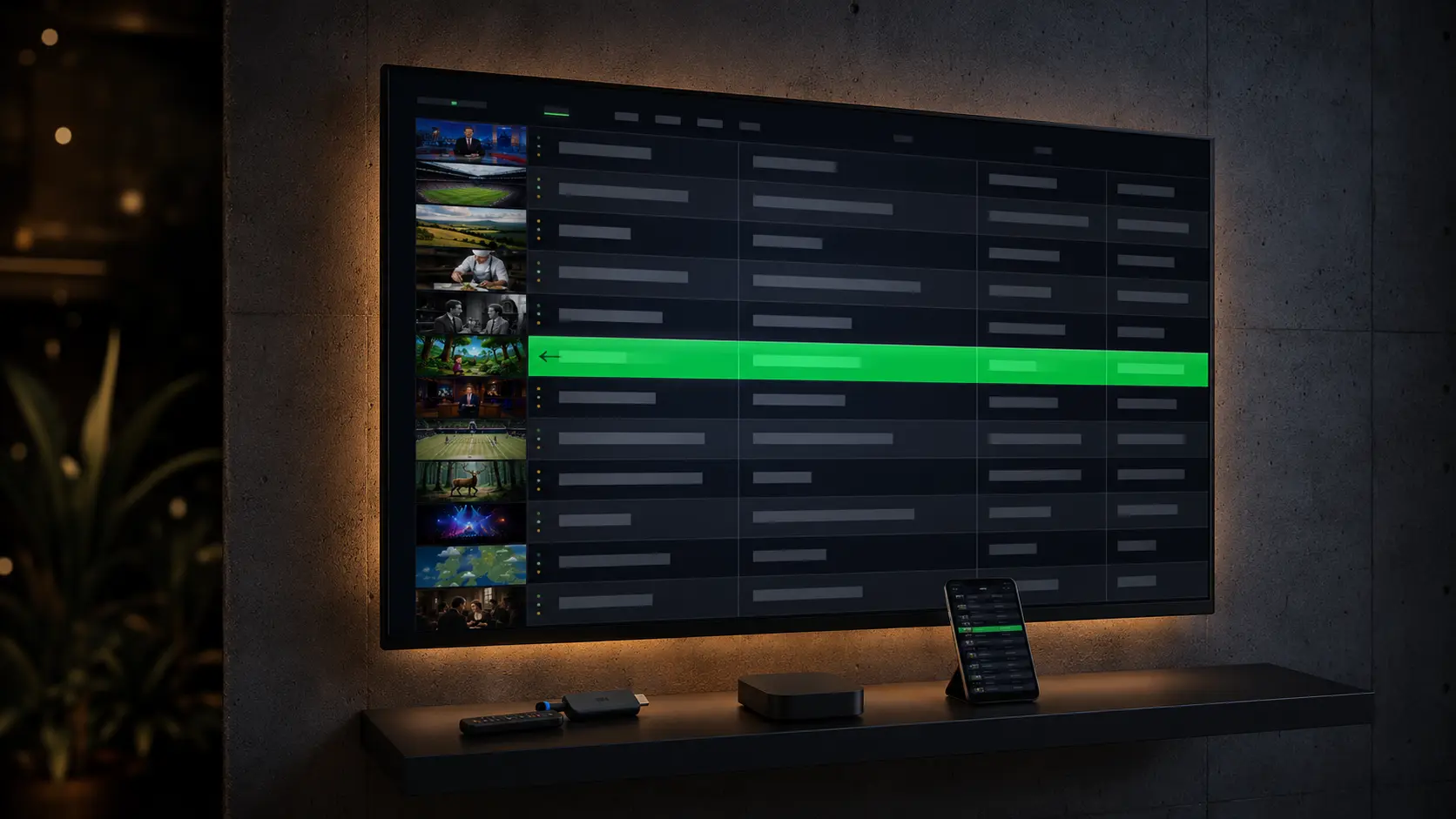
An IPTV Smart Player is the app you install on your Smart TV, Fire TV Stick, Apple TV, Android TV, or phone to play back your IPTV subscription — and the player choice shapes more of your streaming experience than most households realise. The five major contenders in 2026 are IPTV Smarters Pro (most universal device support), TiviMate (best EPG and DVR, Android TV / Fire TV focus), IBO Player Pro (widest platform coverage including LG webOS, Samsung Tizen, and Apple TV, one-time fee), Smarters Player Lite (the lightweight Smart TV cousin), GSE Smart IPTV (the iOS and Apple TV favourite), and the classic Smart IPTV (pre-installed on many Samsung and LG sets from 2018 onward). This guide compares all six on the same six criteria, gives a recommendation per device, and shows exactly which IPTV Smart Player to pick for Premier League, Champions League, Allsvenskan, NHL, and the rest of your family schedule — whether you're streaming from London, Berlin, Madrid, New York, or Bangkok.
Quick summary — picking your IPTV Smart Player in 2026
- Best for Fire TV Stick / Android TV: TiviMate Premium (~$25/year or lifetime) — superior EPG, multi-playlist, DVR.
- Best for Smart TV (Samsung Tizen, LG webOS, Sony Bravia): IPTV Smarters Pro or IBO Player Pro — both lightweight, IBO covers more webOS versions.
- Best for Apple TV / iPhone / iPad: GSE Smart IPTV or IBO Player Pro — stable 4K via Xtream Codes API.
- Best free option: IPTV Smarters Pro — the free tier covers 95% of household needs.
- Best one-time payment: IBO Player Pro — ~£4.50 / €5 / $6 per device, no subscription.
- Must-have support: Xtream Codes API, M3U/M3U8, EPG via XMLTV, multi-playlist, parental lock.
- Avoid: closed provider apps without Xtream Codes support and any "smart player" charging a monthly fee on top of your IPTV subscription.
This comparison is based on our own testing of Nordisc IPTV between January and May 2026 across twelve device types: LG webOS 4.5+ and 6.0, Samsung Tizen 5.0+ and Tizen 7, Sony Bravia (Android TV), Amazon Fire TV Stick 4K Max, Chromecast with Google TV, Nvidia Shield TV Pro, Apple TV 4K (3rd gen), iPhone 15 (iOS 17), Android 13/14, and Windows 11. No sponsored placements — just what actually works for English-speaking households streaming Premier League, Champions League, Allsvenskan, SHL, plus the SVT and TV4 channel pack from abroad.
What is an IPTV Smart Player, really?
An IPTV Smart Player is an app that accepts a playlist URL (M3U) or Xtream Codes (server, username, password) from an IPTV provider and plays back live channels, on-demand libraries, the EPG programme guide, and catch-up content. The app itself doesn't deliver content — the content comes from your subscription. The app determines how you navigate, how fast channels switch, how the EPG grid renders, and which devices you can stream on.
The thing to understand: a good IPTV Smart Player is not tied to a specific provider. The opposite, actually — if a provider forces you to install their "own" app with no Xtream Codes support, that's a strong signal to stay away. Open standard protocols (M3U, Xtream Codes API, EPG via XMLTV) are the lowest common denominator that guarantees your playlist works on any IPTV Smart Player, today and three years from now.
All six apps compared below support Xtream Codes API plus M3U, can load EPG via XMLTV, and work with standards-compliant subscriptions such as Nordisc IPTV — your IPTV Smart Player provider for the Swedish diaspora. The differences are in polish, EPG quality, DVR support, multi-playlist features, and which devices they reach — and that's what this guide digs into.
The 6 best IPTV Smart Player apps in 2026
Here are the six IPTV Smart Player apps worth your attention in 2026. We've sorted by recommended use case rather than raw popularity — for a household with an LG TV, "most installed app globally" matters less than "doesn't crash on webOS 4.5".
1. IPTV Smarters Pro — the universal default choice
IPTV Smarters Pro is the most-installed IPTV Smart Player app in the world in 2026 for a reason: it works almost everywhere. Android, Android TV, iOS, iPadOS, Smart TV (Samsung Tizen, LG webOS — through Smarters Player Lite), Apple TV, Fire TV Stick, Windows, macOS. It supports both M3U and Xtream Codes API, has a decent EPG, parental lock, multi-playlist (latest version), and catch-up. The UI is functional rather than elegant — but it's free in the base version and covers 95% of what a typical household needs.
Strengths:
- Universal device support — install the same app on TV, phone, tablet
- Free base version without ads
- Supports both Xtream Codes and M3U
- Built-in EPG loading
- Catch-up and limited DVR
Weaknesses:
- EPG grid less polished than TiviMate
- No real DVR with USB recording
- Some Smart TV ports (Smarters Player Lite for webOS) lag behind on updates
- "Pro" and "Lite" feature differences are confusing
Price: Free. No premium upgrade on most platforms.
Best for: any household installing IPTV for the first time and wanting one app across every device.
2. TiviMate — the power-user pick for Android TV and Fire TV
TiviMate is what power users pick in 2026. It has the best EPG grid view on the market (multi-day, full-text search across channels, reminders five minutes before a programme starts), multi-playlist support (combine several Xtream Codes accounts into one unified schedule), built-in DVR (Premium, record to USB or network drive up to 30 days ahead), pixel-perfect EPG rendering, and channel switching under 0.3 seconds on modern hardware. The catch: TiviMate runs only on Android TV, Google TV, Fire TV, and Android phones. No LG webOS, no Samsung Tizen, no Apple TV, no iOS.
Strengths:
- Industry's best EPG and programme guide
- Multi-playlist in a single interface
- DVR with USB recording (Premium)
- Reminders and favourites
- Fastest channel switching in class
Weaknesses:
- No Apple TV / iOS / Smart TV support at all
- Premium required for DVR and multi-playlist (~$5.99/year or ~$24.99 lifetime)
- Slightly steeper learning curve for first-time users
Price: Free base. Premium ~$5.99/year or ~$24.99 lifetime. Worth every cent if you have a Fire TV Stick or Nvidia Shield.
Best for: Fire TV Stick 4K Max, Android TV, Nvidia Shield TV Pro — power users who care about EPG and recording.
3. IBO Player Pro — broadest platform reach with one-time payment
IBO Player Pro is the IPTV Smart Player that has gained the most ground on Smart TV platforms over the last year. It runs on Fire TV, Android TV, Apple TV, LG webOS, Samsung Tizen, Hisense VIDAA, and Sony Google TV — the broadest platform coverage of any app in this comparison. The model is a one-time fee per device (~£4.50 / €5 / $6) with no subscription. The UI is one of the cleanest of the bunch — sleek, modern, no unnecessary complexity. EPG is solid if not in TiviMate's league, multi-playlist is supported, Xtream Codes and M3U both work.
Strengths:
- Widest platform coverage — including Apple TV and LG webOS
- One-time fee, no subscription
- Clean, modern design
- Stable EPG
- Lightweight — works well even on older Smart TV processors
Weaknesses:
- EPG not in TiviMate's league
- Smaller community / fewer forum posts than Smarters Pro
- One-time fee per device adds up if you have many devices
Price: One-time ~£4.50 / €5 / $6 per device. No subscription.
Best for: mixed-device households (LG TV + Apple TV + Fire Stick) that want the same app everywhere without a monthly fee.
4. Smarters Player Lite — the Smart TV cousin of Smarters Pro
Smarters Player Lite is from the same company behind IPTV Smarters Pro, streamlined for the Samsung Smart Hub, LG Content Store, and Smart TV context generally. Lightweight, quick install via the Smart TV's own app store, clean EPG, and stable playback. Supports Xtream Codes and M3U. Missing some Pro features but it's the obvious pick if you want IPTV directly on your Smart TV without extra hardware.
Strengths:
- Pre-installed or directly downloadable from Smart TV app stores
- Very lightweight — runs well on older TV processors
- Stable 1080p and 4K playback
- Xtream Codes API support
Weaknesses:
- Less feature-rich than the Pro version
- More basic EPG
- Limited DVR support
- Some features require pairing with Pro on a phone
Price: Free.
Best for: the most direct path from Samsung/LG Smart TV to live streaming with no extra hardware.
5. GSE Smart IPTV — the iOS and Apple TV favourite
GSE Smart IPTV has been in the App Store for many years and is one of the most stable IPTV Smart Player apps for iPhone, iPad, and Apple TV. Supports M3U, Xtream Codes, and EPG via XMLTV. The free version shows ads but is fully functional; the paid version removes ads and unlocks advanced features. The UI feels more "iOS-native" than Smarters Pro — it follows Apple's design language more consistently, which many Apple-first households appreciate.
Strengths:
- Solid iOS and Apple TV performance
- Long App Store history (good for trust)
- Supports all relevant standards
- Apple-native design language
Weaknesses:
- Ads in the free version
- Less powerful EPG than TiviMate
- Not available on Smart TV platforms
Price: Free with ads. One-time premium for an ad-free experience.
Best for: pure Apple households streaming primarily on iPhone, iPad, and Apple TV 4K.
6. Smart IPTV (siptv.eu) — the classic on Samsung and LG
Smart IPTV (often referred to as "siptv" from siptv.eu) is one of the oldest IPTV apps and was pre-installed on many Samsung Smart TVs and LG sets from 2018 onward. The UI is extremely lightweight and channel switching is nearly instant. The catch: activation is tied to the TV's MAC address against a one-time fee (~€7–€10 / ~$8–$11) after a 7-day free trial. Not the most modern app in 2026 but still popular for simple installs.
Strengths:
- Extremely fast and lightweight
- Pre-installed on many Samsung / LG sets
- Stable playback even on older TV processors
- Supports M3U and Xtream Codes
Weaknesses:
- Limited feature set compared to modern alternatives
- Per-MAC-address activation — switch TVs and you re-activate
- EPG support less polished
Price: 7-day free trial, then one-time ~€7–€10 / ~$8–$11 per device.
Best for: older Samsung Tizen and LG webOS sets where modern apps run slowly.
No commitment · no credit card
IPTV Smart Player — feature comparison table
This table condenses the six apps' features into one glance. Use it to quickly eliminate candidates that don't meet your hard requirements (e.g. "must run on Apple TV" or "must record to USB").
| Feature | IPTV Smarters Pro | TiviMate | IBO Player Pro | Smarters Player Lite | GSE Smart IPTV | Smart IPTV |
|---|---|---|---|---|---|---|
| Price | Free | Free / ~$25 lifetime | ~$6 one-time | Free | Free / Premium | ~$8–$11 one-time |
| Xtream Codes API | Yes | Yes | Yes | Yes | Yes | Yes |
| M3U / M3U8 | Yes | Yes | Yes | Yes | Yes | Yes |
| EPG / XMLTV | Good | Best | Good | OK | Good | OK |
| Multi-playlist | Yes (Pro) | Yes (Premium) | Yes | Limited | Yes | No |
| DVR / recording | Limited | Yes (Premium) | No | No | No | No |
| Catch-up | Yes | Yes | Yes | Yes | Yes | Limited |
| Parental lock | Yes | Yes | Yes | Yes | Yes | Yes |
| Ads in free tier | No | No | N/A | No | Yes | N/A |
TiviMate wins on EPG and DVR. IBO Player Pro wins on breadth and one-time payment. Smarters Pro wins on "runs everywhere without thinking". GSE Smart IPTV wins on Apple TV. Which is "best" depends entirely on your device mix.
IPTV Smart Player — device support matrix
Before paying a cent for TiviMate Premium or a one-time IBO Player Pro fee: confirm your IPTV Smart Player candidate actually runs on the device you plan to stream from. This is the single most important matrix in the entire guide — the wrong app on the wrong device leads to crashes, missing EPG, or the app simply not existing in your Smart TV's app store. Use the table below to eliminate candidates in 30 seconds before you read further.
| Device / OS | IPTV Smarters Pro | TiviMate | IBO Player Pro | Smarters Player Lite | GSE Smart IPTV | Smart IPTV |
|---|---|---|---|---|---|---|
| Android TV / Google TV | Yes | Yes | Yes | – | – | – |
| Fire TV Stick / Fire TV 4K Max | Yes | Yes | Yes | – | – | – |
| Nvidia Shield TV | Yes | Yes | Yes | – | – | – |
| Apple TV 4K | Yes (via iOS) | No | Yes | – | Yes | – |
| iPhone / iPad | Yes | – | Yes | – | Yes | – |
| Android phone | Yes | Yes | Yes | – | Yes | – |
| LG webOS Smart TV | – (via Lite) | No | Yes | Yes | – | Yes |
| Samsung Tizen Smart TV | – (via Lite) | No | Yes | Yes | – | Yes |
| Sony Bravia (Android TV) | Yes | Yes | Yes | Yes | – | – |
| Hisense VIDAA | – | – | Yes | – | – | – |
| Windows / macOS | Yes | – | – | – | – | – |
This is the matrix that actually decides your pick. Got a Fire TV Stick 4K Max → TiviMate, no contest. Got an Apple TV → IBO Player Pro or GSE Smart IPTV. Got a 2020-era LG webOS TV → Smarters Player Lite or IBO Player Pro. Got mixed devices and want one app everywhere → IPTV Smarters Pro.
Activated within 5 minutes
Best IPTV Smart Player by device type
The best IPTV Smart Player for your household is decided almost entirely by which device sits next to your TV. Below is our recommendation per device type, based on five months of testing with Nordisc IPTV as the backend and all six apps running in parallel. We list a primary pick and a realistic second choice — not theoretical rankings, but what actually works smoothest in daily operation for English-speaking expat households streaming in 2026.
Fire TV Stick 4K Max → TiviMate Premium
Fire TV Stick 4K Max paired with TiviMate Premium gives the absolute fastest and most polished IPTV experience for under $80 total investment. TiviMate exploits the Fire TV's hardware H.265/HEVC 4K decoder, and Premium's USB DVR turns the Fire TV Stick into a full PVR you'd otherwise pay $200+ for in a dedicated box.
Android TV / Nvidia Shield → TiviMate Premium
Same logic with stronger hardware. Nvidia Shield TV Pro with TiviMate can handle 4K HDR without breaking a sweat, and multi-playlist lets you combine two Xtream Codes accounts into a unified schedule — useful if you have a Swedish IPTV subscription plus a local sports add-on in your host country.
LG webOS Smart TV → IBO Player Pro or Smarters Player Lite
On LG webOS (4.0–7.0) you have two reasonable picks. IBO Player Pro gives the most modern experience for a one-time ~$6 fee. Smarters Player Lite is free and runs well on webOS 4.5+. Both install directly from the LG Content Store, no extra hardware needed.
Samsung Tizen Smart TV → Smarters Player Lite or IBO Player Pro
Same logic on Samsung Tizen. Smarters Player Lite is free and either pre-installed or directly downloadable via Samsung Smart Hub. IBO Player Pro has the more modern UI for a one-time fee. Both deliver excellent performance on Tizen 7+.
Apple TV 4K → IBO Player Pro or GSE Smart IPTV
IBO Player Pro is probably the best pick on Apple TV 4K in 2026 — clean design, fast EPG, no subscription. GSE Smart IPTV is a solid free option with ads. Both support 4K via Xtream Codes API. Apple TV users who value Siri Remote navigation tend to prefer IBO Player Pro's flow.
iPhone / iPad → IPTV Smarters Pro or GSE Smart IPTV
On iOS, IPTV Smarters Pro is the obvious first pick — free, stable, the same experience as on Android. GSE Smart IPTV is the alternative if you prefer a more iOS-native design language.
Older Smart TVs (pre-2018) → Smart IPTV or Fire TV Stick 4K Max
Got an LG from 2015 or a Samsung from 2017 starting to feel sluggish? Two paths: Smart IPTV is the lightest app available and often runs fine on older hardware. Alternatively: buy a Fire TV Stick 4K Max for ~$60 and run TiviMate — it usually outperforms the TV's built-in processor on every metric.
IPTV Smart Player — installation in 5 minutes
Whichever IPTV Smart Player you pick, installation is essentially the same. Here is the generic process from zero to live stream in under 5 minutes.
- Get Xtream Codes from your IPTV provider. With Nordisc IPTV you receive the server URL, username, and password via WhatsApp within 5 minutes of ordering. Save the details to a phone note.
- Install your chosen IPTV Smart Player from your device's app store — Google Play (Android / Android TV), App Store (iOS / Apple TV / iPadOS), Amazon Appstore (Fire TV), Samsung Smart Hub, or LG Content Store.
- Open the app and pick "Add Playlist" or the equivalent. In most IPTV Smart Player apps you select "Xtream Codes API" as the login type.
- Enter the details: server URL (often in the form
http://your-server.com:8080), username, password from the provider. - Wait 30–90 seconds while the channel list and EPG load. Done — pick a channel and start streaming.
Need extra help? Our 24/7 English-speaking WhatsApp support walks you through every step regardless of which IPTV Smart Player you've picked, and regardless of which time zone you're contacting from. We also help with the awkward edge cases on Apple TV, LG webOS, and older Samsung sets where the app store sometimes needs workarounds.
Support team available 24/7
Troubleshooting — when your IPTV Smart Player misbehaves
Even the best IPTV Smart Player has off days — and nine out of ten support tickets we handle at Nordisc IPTV fall into one of four categories. Below are the four most common issues we see, with the exact fix for each. Before you contact provider support: work through the list. In most cases you'll solve the problem yourself in under five minutes, whether you're running IPTV Smarters Pro on Fire TV Stick, TiviMate on Android TV, or IBO Player Pro on your LG webOS Smart TV.
"Can't log in — invalid credentials"
Symptom: the app rejects your server URL, username, or password. Cause: almost always a typo (case-sensitive) or a missing http:// in the URL. Fix: copy-paste the details directly from the WhatsApp message rather than typing them. Confirm you've picked "Xtream Codes API" rather than "M3U URL" if you were given codes. Try adding the port number (:8080 or :25461) if it's missing. Still failing — message support, your subscription may need renewal or a server migration is in progress.
"EPG (programme guide) is missing or empty"
Symptom: channels stream fine but the programme guide is empty or shows "No Data". Cause: EPG source not configured or hasn't refreshed since last update. Fix: in IPTV Smarters Pro, go to Settings → EPG → Force Update. In TiviMate: Settings → EPG → Reload. If EPG is still empty after 5 minutes — ask the provider for a separate XMLTV URL to add manually. Also confirm the time zone setting is locked to Europe/Stockholm (CET/CEST) if you want Swedish-channel programme times to display correctly from abroad.
"Constant buffering or pixelated picture"
Symptom: the picture stutters, freezes for a few seconds, then continues. Cause in 80% of cases: bandwidth or Wi-Fi interference. Fix: run a speed test on the same device that streams (Fast.com or Ookla). Below 25 Mbps? Switch from Wi-Fi to Ethernet, or move the router closer. Still seeing it at 50+ Mbps — downshift from 4K to FHD in the app settings, or ask provider support for an alternative CDN node closer to your country.
"IPTV Smart Player crashes on Smart TV"
Symptom: the app closes itself immediately after launch. Most common on older LG TVs (webOS 3.0–3.5) and Samsung sets from before 2018. Fix: uninstall the app, restart the TV (unplug power for 60 seconds), reinstall from the app store. If the TV is more than six years old — buy a Fire TV Stick 4K Max for ~$60; it replaces the Smart TV app entirely and outperforms a 2018 TV processor on every metric.
How to pick the right IPTV Smart Player for your subscription
The simplest algorithm for picking an IPTV Smart Player in 2026 is to start with your primary streaming device and build outward.
- Identify your primary device: Fire TV Stick, Smart TV (brand + model year), Apple TV, or phone/tablet.
- Look it up in the device matrix above to see which apps support it.
- Need DVR or multi-playlist? Then TiviMate Premium (on Android TV / Fire TV) or IBO Player Pro (on Apple TV / Smart TV) is almost always the answer.
- Apple TV priority? IBO Player Pro or GSE Smart IPTV.
- Want one app across everything? IPTV Smarters Pro — covers 95% of device mixes.
- One-time payment over subscription? IBO Player Pro — ~$6 per device.
- Completely free? IPTV Smarters Pro or Smarters Player Lite.
Worth noting: your IPTV Smart Player shapes the experience but not the content. The subscription decides which channels, which sports, and which films you get access to. For Swedish-speaking households abroad who want Allsvenskan, SHL, Premier League, Champions League, plus all the Nordic FTA channels (SVT, TV4, NRK, DR, YLE) in a single subscription, see our Best IPTV 2026 — The Top Swedish IPTV Choice for Expats Abroad and the broader Swedish IPTV abroad — diaspora guide before locking in a provider. If you want a deeper 12-criteria checklist for evaluating any candidate, see our Best IPTV 2026 — complete buyer's guide for Swedes abroad.
Start streaming in 5 minutes
Frequently asked questions about IPTV Smart Player
Which is the best IPTV Smart Player in 2026?
It depends on your device. For Fire TV Stick or Android TV, TiviMate Premium is the clear winner thanks to its EPG and DVR. For Smart TV (LG webOS, Samsung Tizen), IBO Player Pro or Smarters Player Lite lead. For Apple TV, IBO Player Pro or GSE Smart IPTV are the top picks. If you want the same app across every device — pick IPTV Smarters Pro. There's no universal "best" — there's a best-for-your-device.
Is IPTV Smart Player free?
Several are. IPTV Smarters Pro and Smarters Player Lite are entirely free. TiviMate has a free base (no DVR or multi-playlist) plus paid Premium. GSE Smart IPTV is free with ads. IBO Player Pro is a one-time ~$6 per device. Smart IPTV is ~$8–$11 one-time after a 7-day free trial. Note: the app is free, but you still need an IPTV subscription to have content to play back.
What's the difference between IPTV Smart Player and Xtream Codes?
The IPTV Smart Player is the app you install on your device. Xtream Codes is the protocol the app uses to communicate with your IPTV provider's server. You need both — an app (Smart Player) that speaks the Xtream Codes protocol, plus login details (server URL, username, password) from your provider. All apps in this guide support Xtream Codes API.
Does IPTV Smart Player work on every Smart TV?
No, it varies. IPTV Smarters Pro / Smarters Player Lite and IBO Player Pro have the widest Smart TV support (LG webOS 4.0+, Samsung Tizen 5.0+, Sony Bravia, Hisense VIDAA). TiviMate is not available on LG webOS or Samsung Tizen — only on Android TV and Fire TV. For older TVs (pre-2018) we recommend buying a Fire TV Stick 4K Max and running TiviMate on that instead.
Can I use the same IPTV Smart Player on multiple devices?
Yes. You can install the same IPTV Smart Player (e.g. IPTV Smarters Pro) on TV, phone, tablet, and computer using the same login details. But your subscription often caps simultaneous streams — typically 2 at a time with Nordisc IPTV (or 4 on the family tier on request). You can be logged in on 10 devices and rotate among them, as long as no more than 2 stream concurrently.
Do I need to pay for the premium version of an IPTV Smart Player?
Not always. For basic live channels and VOD, the free tiers are more than enough. Premium becomes relevant if you want: DVR recording (TiviMate Premium), multi-playlist (TiviMate Premium, IBO Player Pro), an ad-free experience (GSE Smart IPTV Premium), or advanced EPG features. For households that "just want to watch TV", the free tiers are absolutely fine.
What's the difference between TiviMate and IPTV Smarters Pro?
TiviMate has better EPG, faster channel switching, multi-playlist, and DVR — but it's only on Android TV / Fire TV. IPTV Smarters Pro has a simpler UI but runs on all platforms including iOS, Apple TV, Smart TV, and Windows. Got a Fire TV Stick → TiviMate. Got mixed devices → IPTV Smarters Pro. Many households use both in parallel — TiviMate on the living-room Fire TV, Smarters Pro everywhere else.
How fast does my internet need to be for IPTV Smart Player?
At least 25 Mbps for stable HD, 50 Mbps for 4K UHD, and 100 Mbps if two or more devices stream at the same time. Fibre rarely struggles. 4G/5G home routers work too but quality can vary during peak hours (19:00–22:00 local time). Wi-Fi 6 or Ethernet is strongly recommended for 4K streaming, especially in apartments with congested 5 GHz spectrum.
Is using an IPTV Smart Player legal?
The app itself is fully legal — it's a media player tool, comparable to VLC or Kodi. Legality depends on what you feed into the app. With a subscription from a licensed provider that has a verifiable company registration (such as Nordisc IPTV), you stream licensed content and it's fully legal in EU/EEA, the UK, US, Canada, and Australia. Avoid free "load an M3U link from Reddit" solutions — that's where the legal grey area sits.
Can I use the same IPTV Smart Player abroad?
Yes, if both your subscription and the IPTV Smart Player support it. Nordisc IPTV works across the EU/EEA thanks to portability rules and in most countries worldwide with a stable connection. The apps in this guide (TiviMate, IPTV Smarters Pro, IBO Player Pro, GSE Smart IPTV) work identically abroad as they do at home — the only thing to watch is EPG time zone, which you can lock to Europe/Stockholm in the app settings.
Conclusion — pick your IPTV Smart Player today
IPTV Smart Player is the least-discussed but most underestimated part of a good IPTV experience. Five minutes of extra thought on the app choice saves you hundreds of frustrated evenings with slow EPG, Smart TV crashes, and confused navigation. Our shortlist for 2026:
- Fire TV Stick or Android TV? → TiviMate Premium
- LG or Samsung Smart TV? → IBO Player Pro or Smarters Player Lite
- Apple TV? → IBO Player Pro or GSE Smart IPTV
- Want one app across everything? → IPTV Smarters Pro
- One-time payment over subscription? → IBO Player Pro
- Completely free? → IPTV Smarters Pro or Smarters Player Lite
Whichever IPTV Smart Player you land on, you'll still need a subscription that matches. Nordisc IPTV supports all six apps above via Xtream Codes API and M3U, carries 50,000+ channels including Allsvenskan, SHL, Premier League, Champions League, NHL, F1, plus the full SVT and TV4 channel pack, and offers 24/7 English-speaking support. Test it yourself with our free 24-hour trial — no commitment, no credit card, Xtream Codes in your inbox within 5 minutes.
Ready to compare subscription tiers side by side? See our pricing page for international customers. For technical background on how IPTV actually works under the hood, see the Wikipedia article on IPTV.
This article was written by the editorial team at Nordisc IPTV — a Swedish IPTV provider that has for several years delivered Scandinavian live TV, sport, and on-demand content to households in Sweden and the Nordic diaspora. We continuously test and evaluate streaming apps and publish independent comparisons to help expat and English-speaking customers pick the right IPTV Smart Player for their device mix. Questions about the app choice? Message us on WhatsApp — we reply within 5 minutes around the clock.